 skemyOpen Skemy
 A cable schedule that works on site.
Organise cable sources, destinations, identifiers, lengths, installation, termination and tests. Create saved views and colour rules with Skemy.
What belongs in a cable schedule
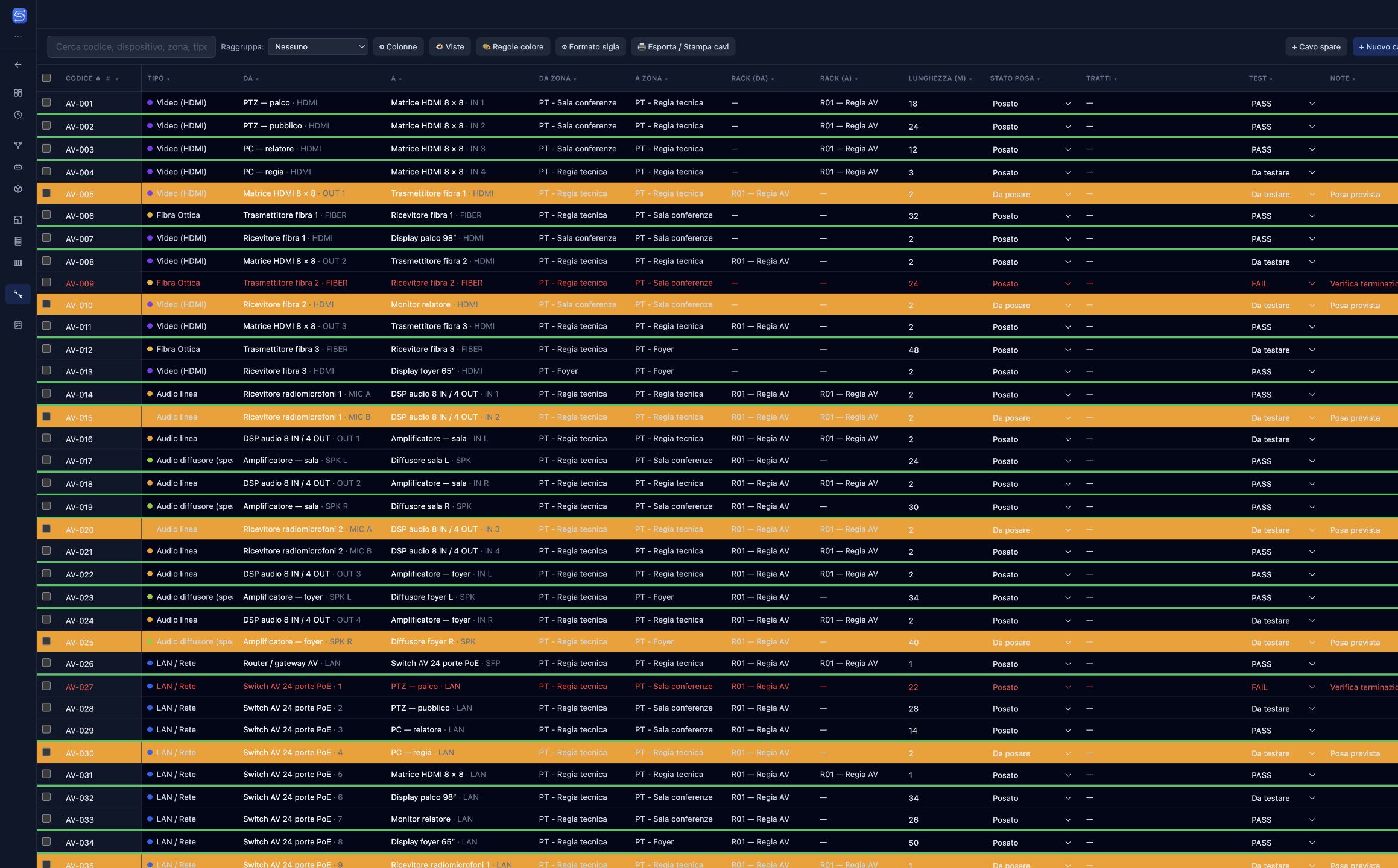
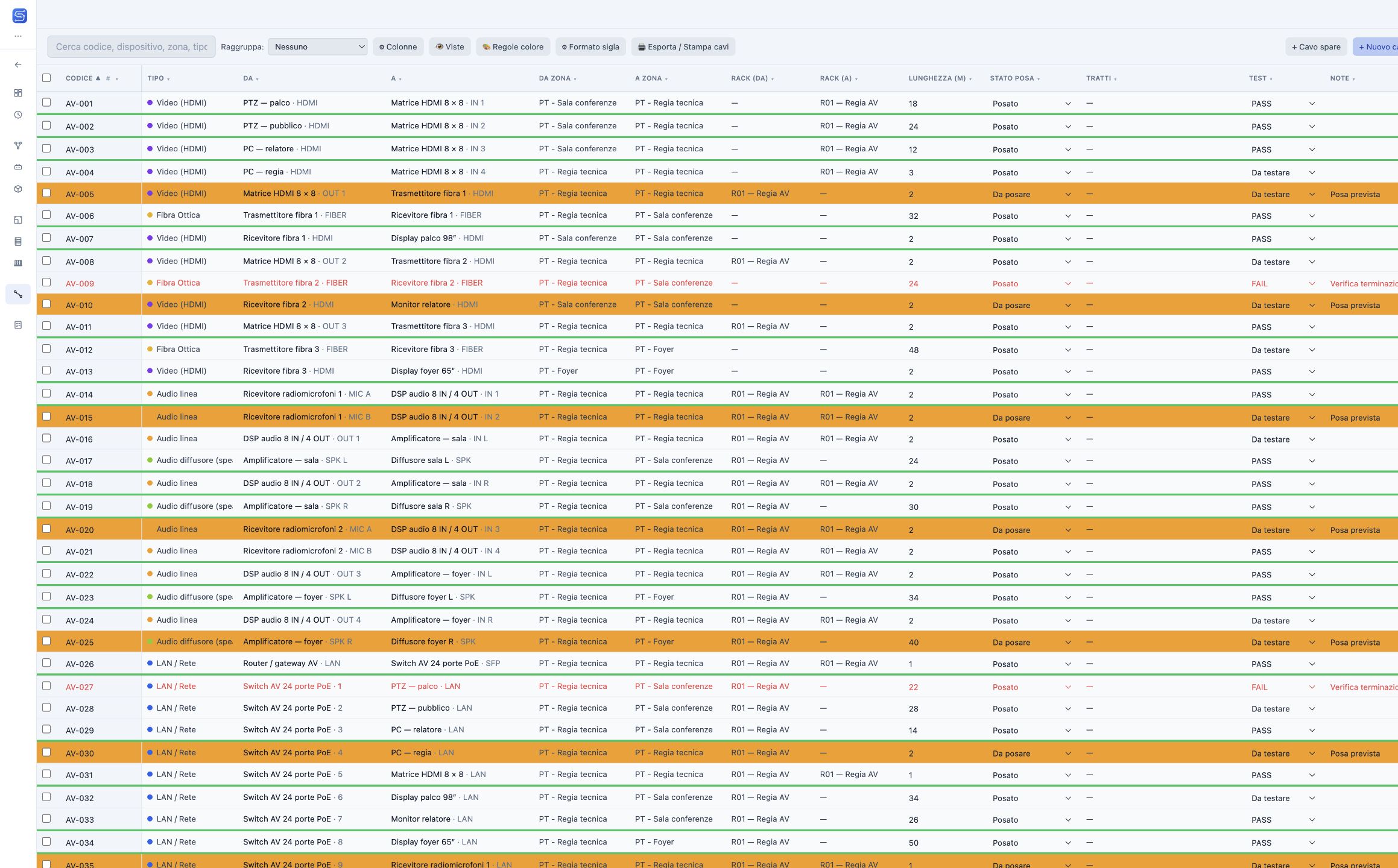
A cable schedule contains the information needed to identify and track each connection. In Skemy, review cable identifiers, signal types, source and destination devices and ports, zones, racks and lengths.
Views for designers and installers
Choose and reorder columns, filter connections and group them by zone, type or installation status. Save views for different tasks: checking a control room, preparing materials for a room or identifying cables that still need work.
Colour rules that make priorities visible
In the demo, red text flags a failed test, an orange fill marks pending installation and a green underline shows a passed test. Rules are evaluated in order: the first enabled rule matching the row is applied. Textual statuses remain available alongside the visual cues.
Installation, termination and testing
Record work status and keep notes and lengths available. Lengths estimated from physical routes support planning and should be distinguished from recorded measurements. Print the schedule or export it to PDF, CSV and Excel to support installation and handover.
In the same project
The schedule rows are the project’s connections, not a copied table: a cable added in the schematic or in I/O Mapping appears here, and the installation, termination and test status recorded here feeds the Commissioning summary.