 skemyOpen Skemy ↗
Design AV schematics people can follow.
Design AV schematics with devices, ports and connections. Organise HDMI, fibre, audio and network signals and prepare system documentation.
From sources to destinations
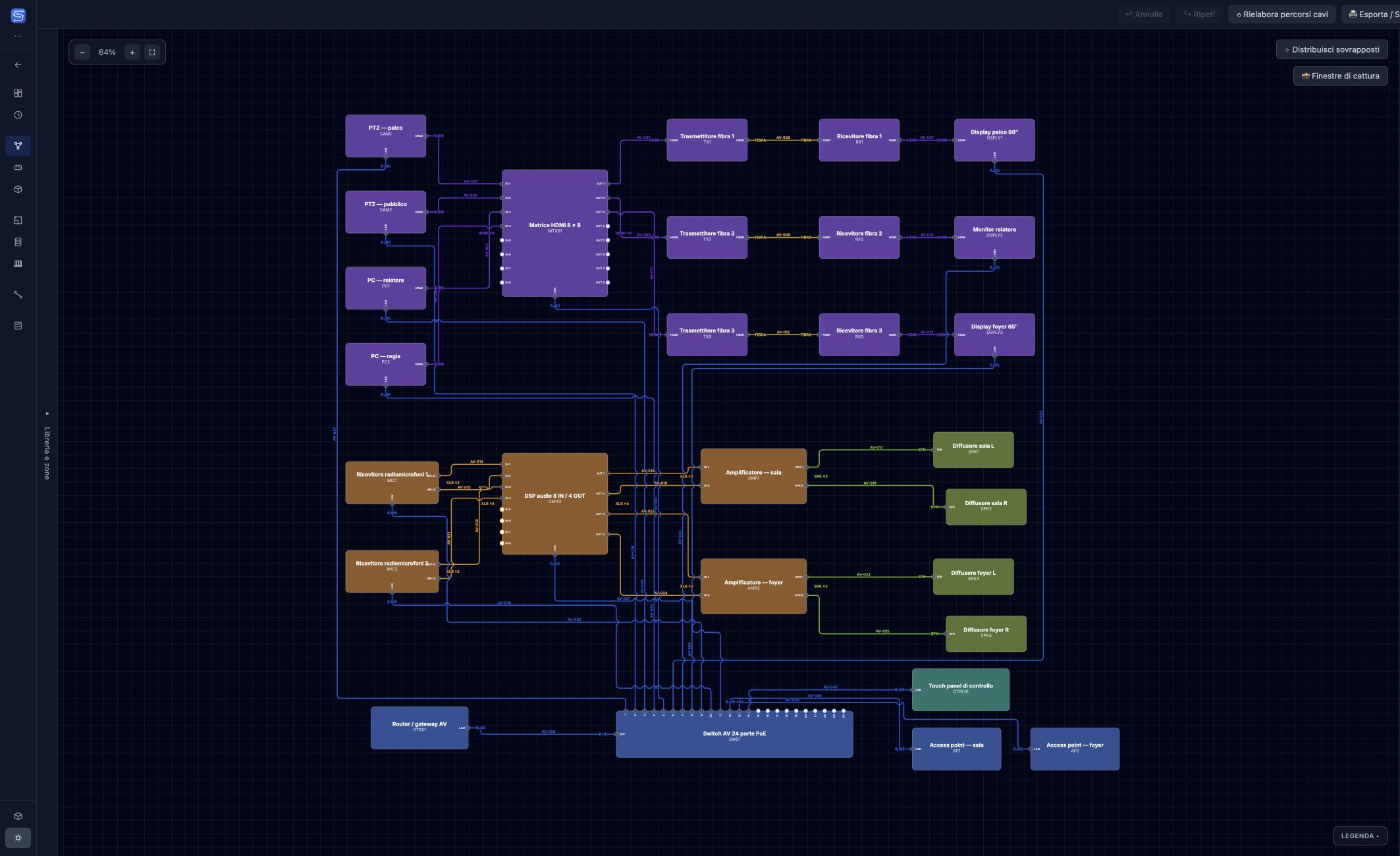
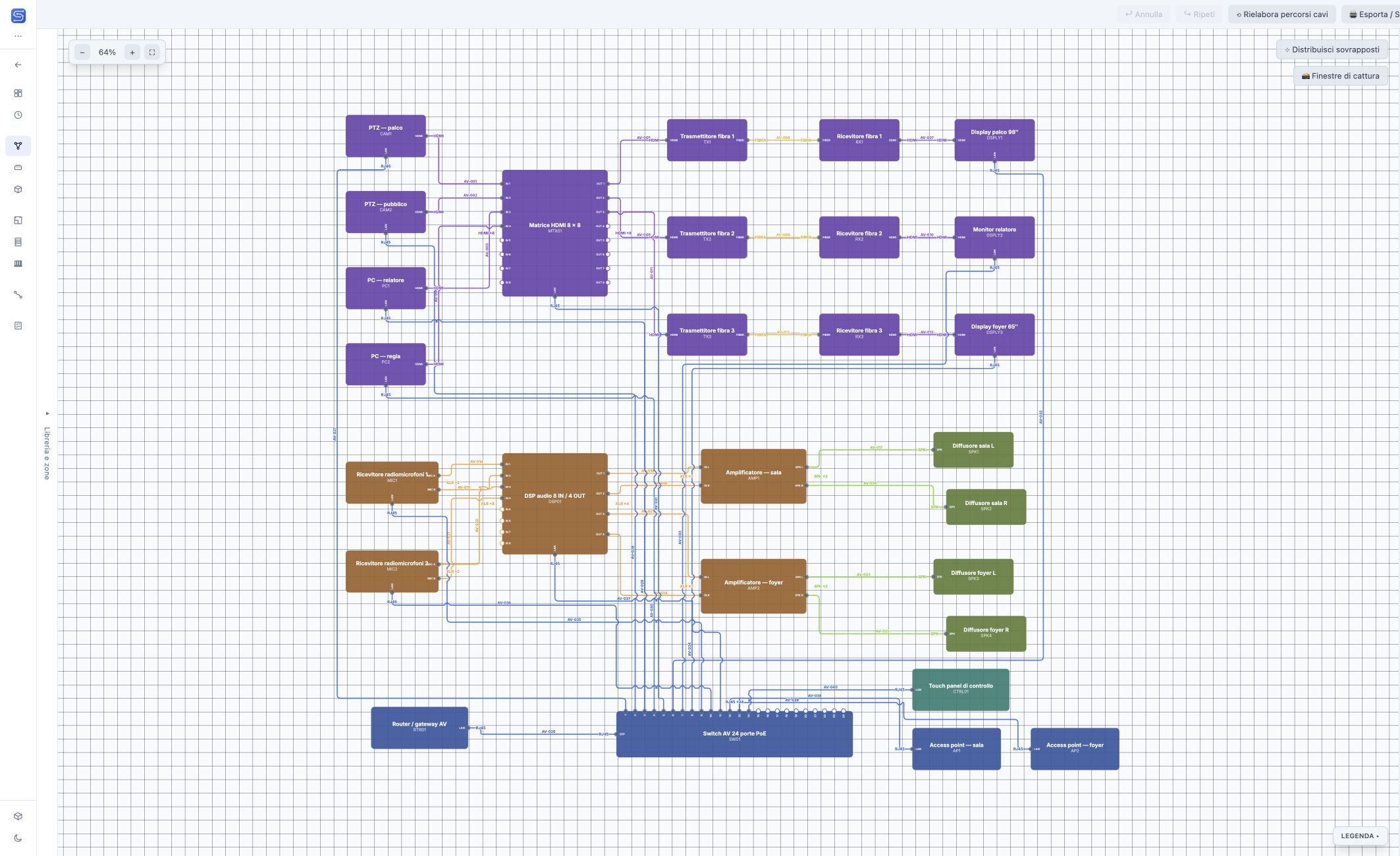
An AV system brings together signal sources, processing and distribution. In System Schematic, connect device ports to describe these relationships: a camera to a matrix switcher, a fibre transmitter to a receiver, or a DSP to amplifiers. Each connection keeps its signal type and cable identifier.
A conference room, control room and foyer
The demo contains 28 devices and 40 connections across three spaces. A matrix switcher distributes video to the displays, a DSP and amplifiers handle audio, and a switch connects the AV network. Compare the interface themes or open the vector drawing to read the details.
Keep a growing project organised
Floors and zones help you select the spaces to display. The schematic arrangement describes how the system works; the floor plan describes where devices are physically installed. Work on both without mixing the two arrangements.
From the schematic to the cable schedule
Connections feed the Cable Schedule, where you can review sources, destinations, ports and operational status. Check the connections before handover and prepare the drawings. Vector parts of exported drawings stay sharp when enlarged.